
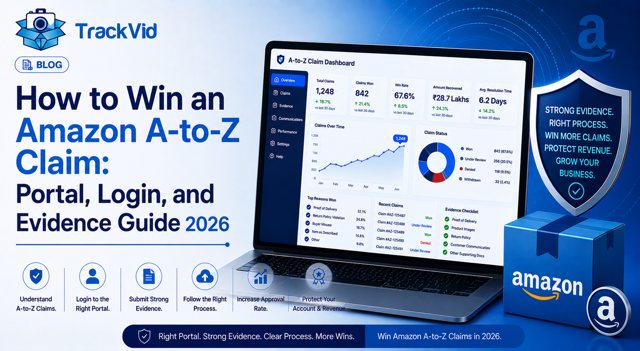
For third-party sellers on Amazon US, UK, EU, AU, CA and all global Amazon marketplaces. Updated May 2026.
An Amazon A-to-Z claim lands in your Seller Central dashboard and the clock starts immediately. You have 48 to 72 hours to respond with evidence before Amazon decides automatically in the buyer's favour. If you lose, the refund is deducted from your account and the claim counts against your Order Defect Rate. Keep your ODR above 1 percent and your account health enters the danger zone. Let it climb further and your selling privileges are at risk.
Most sellers lose A-to-Z claims not because their case is weak but because they do not understand what evidence each claim type actually requires. Submitting tracking information for a "materially different" claim is like showing up to a weight dispute with a delivery receipt. It answers the wrong question. The buyer is not saying the parcel did not arrive. The buyer is saying what was inside was wrong. Tracking data cannot prove what was inside the parcel.
This guide is the complete operational playbook for Amazon A-to-Z claims: what triggers them, what each type requires, the exact 72-hour response process, the evidence hierarchy that wins, the five mistakes that lose winnable claims, how to appeal, and the one evidence layer that almost no guide covers but that changes outcomes on the most common claim type.
What an Amazon A-to-Z Claim Actually Is
The Amazon A-to-Z Guarantee is Amazon's buyer protection programme for purchases from third-party sellers. It covers two categories: timely delivery and item condition. When a buyer is dissatisfied on either dimension and cannot resolve the issue directly with you, they can escalate to Amazon and request a refund under the guarantee.
From a seller's perspective, an A-to-Z claim is a formal dispute mechanism with structured deadlines, defined evidence requirements, and direct consequences for your account health.
Three triggers generate A-to-Z claims against sellers:
Item not received. The buyer claims the order never arrived or arrived significantly late. This includes genuine non-delivery, lost shipments, and fraudulent "I never received it" claims filed against confirmed deliveries.
Materially different. The buyer claims what arrived was different from what was listed, wrong item, wrong colour or size, defective product, damaged on arrival, or item that does not match the product detail page description. This is the most common and the most damaging claim type for sellers.
Return not refunded. The buyer returned the item according to your stated policy but did not receive a refund within a reasonable timeframe.
Each claim type requires different evidence and a different response strategy. Treating all three identically is the first mistake most sellers make.
What Happens to Your Account When You Lose
Understanding the stakes clarifies why winning matters beyond the immediate financial loss.
Order Defect Rate. Only A-to-Z claims resolved against the seller count toward your ODR. Claims withdrawn by the buyer, resolved in the seller's favour, or resolved by the seller before Amazon's decision have a significantly lower impact. Amazon requires sellers to maintain an ODR below 1 percent. Breaching this threshold triggers account health warnings, reduced visibility, potential suspension of selling privileges, and loss of Buy Box eligibility.
Financial debit. When an A-to-Z claim is granted in the buyer's favour, Amazon refunds the buyer and deducts the full amount from your account balance. This happens even if the buyer's claim is fraudulent.
The compounding effect. A single fraudulent A-to-Z claim costs you the product value. A pattern of claims, even if each individually is small, can push your ODR above the threshold and create account consequences that cost far more than the individual claims.
The exception that matters. If you purchased shipping labels through Amazon Buy Shipping and shipped on time, Amazon protects you on "item not received" claims, the claim does not affect your ODR and Amazon covers the cost. This is one of the strongest reasons to use Amazon Buy Shipping for all seller-fulfilled orders.
The 72-Hour Response Window: Every Step
Time is the most critical variable in winning an Amazon A-to-Z claim. Amazon typically gives sellers 48 to 72 hours to respond from the moment a claim is filed. Missing this window results in an automatic decision in the buyer's favour with no review of your case.
Every step of this process, receiving the notification, submitting evidence, monitoring the outcome, and filing an appeal, happens through the Amazon A-to-Z portal inside Seller Central. Knowing how to access it quickly is as important as knowing what to submit.
Step 1: Log in and identify the claim the moment it arrives
Your Amazon A-to-Z login goes through Seller Central at sellercentral.amazon.com. Once logged in, navigate to Performance, then A-to-Z Guarantee Claims. This is the Amazon A-to-Z portal where every claim against your account is listed, tracked, and managed. Check it daily without exception. Enable all notification types in your Seller Central notification preferences so claims reach you immediately by email as well. High-volume sellers should designate a team member whose daily routine begins with the A-to-Z portal check before anything else. A claim buried in email alerts while your team is focused on dispatch is a claim you have already lost.
Step 2: Read the claim carefully before gathering evidence
Do not start pulling tracking numbers and composing a response until you understand exactly what the buyer is claiming. Is it non-delivery? Is it a product condition complaint? Is it a return that was not refunded? The answer determines everything about what evidence you need. A response that addresses the wrong claim type signals to Amazon's reviewer that you did not read the complaint.
Step 3: Match your evidence to the claim type
For item not received claims: pull the tracking number showing shipment and, if available, delivery confirmation with GPS coordinates, recipient signature, or carrier-confirmed delivery event. If you used Amazon Buy Shipping with on-time dispatch, document this specifically.
For materially different claims: this is where most sellers struggle. Pull the product detail page showing exactly what was listed. Pull any product photographs. Pull customer communication where the buyer may have confirmed the item or described the issue. And if you have order-linked packing video showing the correct product being packed for this specific Order ID, retrieve it. This is your strongest possible evidence for this claim type.
For return not refunded claims: confirm whether you received the return, check the tracking on the return shipment, and prepare refund confirmation records or documentation explaining any delay.
Step 4: Respond through Seller Central, not email
Your official response must go through the A-to-Z Guarantee Claims page in Seller Central, not through direct email to the buyer. The response form is where Amazon's review team evaluates your case. Structure your response with facts first: order date, dispatch date, carrier, tracking number. Then attach your evidence. Then state specifically why the claim should be denied. Keep the language professional and factual. Amazon's reviewers handle high volumes of claims. Lead with your strongest evidence in the first two sentences.
Step 5: Consider proactive resolution for legitimate claims
If the claim has genuine merit, the product was wrong, the item was damaged, the delivery failed, issue a refund before Amazon's decision. A seller-initiated refund before Amazon rules results in the claim being marked as "Resolved by Seller," which has a significantly lower ODR impact than a claim granted by Amazon. The cost of one refund is far less than the cost of ODR damage.
A UK Seller Who Learned the Difference Between Evidence Types
Marcus runs a home accessories brand on Amazon UK, processing around 180 orders per day with an average order value of £48. Over three months in 2025, six A-to-Z claims arrived, all claiming "materially different." Buyers stated the item received did not match the listing: wrong colour, wrong variant, wrong item entirely.
Marcus responded to all six with the same package: tracking confirmation, the product detail page URL, and a written explanation that the correct item had been dispatched. He lost four of the six claims. Total account debit: £312. ODR pushed to 0.8 percent.
The issue was not his case. It was his evidence. Tracking showed the parcel arrived. His written account stated the correct item was sent. Neither was independently verifiable. An Amazon reviewer facing a buyer's claim and a seller's written counter-claim with no physical evidence of what was in the parcel had no basis to deny the claim.
He set up a packing video system that recorded every dispatch linked to the Order ID. Within 60 days, two more "materially different" claims arrived. He submitted the order-linked packing videos alongside the standard tracking and listing evidence. Both claims were denied. Both were removed from his ODR.
"The buyer claimed the wrong colour arrived. The video showed the correct colour being packed. There was nothing to argue. The claim just failed," Marcus said.
Evidence Ranked: What Actually Wins Each Claim Type
Not all evidence carries equal weight in Amazon A-to-Z claim decisions. Here is the hierarchy, built from documented outcomes.
For "Item Not Received" Claims
Tier 1, Wins cleanly: Amazon Buy Shipping with on-time dispatch. Amazon takes responsibility and the claim does not affect your ODR.
Tier 2, Wins strongly: Carrier delivery confirmation with GPS coordinates showing delivery to the buyer's address. Signature confirmation for high-value orders. Carrier-confirmed delivery event with timestamp matching the estimated delivery window.
Tier 3, Supports but does not win alone: Standard tracking number showing shipment. Communication with the buyer acknowledging the order. Order confirmation records.
Does not win INR claims: Written statements that the item was dispatched. Photos of the product before packing. A-to-Z responses without carrier delivery evidence.
For "Materially Different" Claims
This is the critical claim type where most sellers are underprepared.
Tier 1, Wins cleanly: Order-linked packing video showing the specific product being packed for the specific Order ID, with the product, barcode, and order details visible in a continuous recording. This independently verifies what was in the parcel. An Amazon reviewer can confirm the correct item was dispatched without relying on either party's written account.
Tier 2, Wins strongly when combined: Product detail page URL showing accurate listing at time of sale. Customer communication records showing the buyer described the item correctly or expressed satisfaction before the claim. Photos of the product with the Order ID visible, taken at packing.
Tier 3, Supports but does not win alone: Tracking confirming delivery. Written explanation that the correct item was sent. Product listing screenshots without order-specific connection.
Does not win materially different claims: Tracking data alone. Written statements without physical product evidence. Photos that are not connected to the specific order.
Tracking proves the parcel arrived. It does not prove what was inside it. For "materially different" A-to-Z claims, those are two completely different questions, and only one of them matters.
For "Return Not Refunded" Claims
Wins: Return delivery tracking showing the item arrived back at your warehouse. Refund confirmation or refund processing records. Communication records showing any agreed refund timeline.
Does not win: Claiming you have not received the return if tracking shows it was delivered.
The Packing Video Layer: Why Most Guides Stop Short
Every guide on how to win Amazon A-to-Z claims covers tracking, listings, and communication records. Very few mention packing video as primary evidence for materially different claims, and none explain why it is the highest-tier evidence for that claim type.
The reason it matters is structural. Amazon's review team evaluates A-to-Z claims by asking one question: which party's account is more independently verifiable? A tracking number is independently verifiable. A carrier scan is independently verifiable. A product detail page is independently verifiable.
A seller's written statement that "the correct item was packed" is not independently verifiable. It is a claim, matched against the buyer's counter-claim. Amazon cannot resolve that dispute from written accounts alone.
An order-linked packing video is independently verifiable in the same way a tracking scan is. It shows, in a continuous, timestamped, unedited recording, the specific product being packed for the specific Order ID. The Order ID links the video to the disputed transaction. The timestamp places the recording before any dispute existed. Amazon's reviewer can confirm the product condition without relying on either party's account.
TrackVid creates this evidence automatically for every order. When the shipping label is scanned, recording begins. Every video is linked to the Order ID, SKU, and AWB at the moment of recording. Every video is stored in searchable cloud and retrieved by Order ID in under two minutes, well within the 72-hour response window.
For sellers processing 100 or more orders per day, this is the only approach that scales. Manually recording packings and searching footage to find the right clip within 72 hours at volume is not operationally viable. Automated order-linked recording makes it instant.
Related: See how TrackVid's packing video system works for Amazon sellers →
How to Access the Amazon A-to-Z Portal: Login and Navigation
The Amazon A-to-Z portal is the section of Seller Central where all guarantee claims against your account are filed, managed, and resolved. Knowing the layout before a claim arrives reduces the risk of a missed response window when you are under time pressure.
Amazon A-to-Z login
Go to sellercentral.amazon.com and log in with your seller credentials. From the main dashboard, navigate to the Performance menu in the top navigation bar. Select A-to-Z Guarantee Claims from the dropdown. This takes you directly into the Amazon A-to-Z portal where all active, pending, and historical claims are listed.
If you sell on multiple Amazon marketplaces, US, UK, EU, AU, note that each marketplace has its own Seller Central instance and its own A-to-Z portal. A claim on Amazon UK requires your Amazon A-to-Z login on Amazon UK Seller Central. Claims do not appear cross-marketplace.
What the Amazon A-to-Z portal shows you
The A-to-Z portal displays each claim with the order ID, the date filed, the claim type, and the current status. Status categories include: Pending Response (requires your action within the window), Under Review (Amazon is evaluating), Granted (decided against you), Denied (decided in your favour), and Resolved by Seller (you resolved before Amazon's decision).
Claim status that matters most
A "Pending Response" status in the Amazon A-to-Z portal means the clock is running. This is where most sellers lose winnable claims, not because they lack evidence, but because they see the notification too late or do not know the portal location to submit through.
Setting up instant notification
In Seller Central, go to Settings, then Notification Preferences. Under Messaging, enable A-to-Z Guarantee Claim notifications by email. This sends an alert every time a claim is filed against you, supplementing the portal check. Use both: daily portal review plus email alerts. Relying on email alone creates a single point of failure when notifications are delayed or filtered.
The appeal pathway in the portal
If a claim is decided against you, the Amazon A-to-Z portal is where you initiate the appeal. Navigate to the specific claim, select the appeal option, and submit new evidence within the 30-day appeal window. The portal records the full claim history including your original response, Amazon's decision, and any appeal submissions.
The Five Mistakes That Lose Winnable A-to-Z Claims
Mistake 1: Missing the response window.
The 48 to 72-hour window is absolute. A missed response almost always results in an automatic decision in the buyer's favour. Amazon's reviewers cannot act on evidence submitted after the deadline. Set a daily check of the A-to-Z Claims section in Seller Central as a non-negotiable routine, not a task for when time permits.
Mistake 2: Submitting the same evidence for every claim type.
The evidence that wins an item not received claim is carrier delivery data. The evidence that wins a materially different claim is product condition proof at dispatch. Using tracking-only responses for all claim types means your materially different claims are being decided without your best evidence.
Mistake 3: Writing defensive or argumentative responses.
Amazon's review team responds to evidence and policy arguments. Lengthy responses criticising the buyer's motives or expressing frustration with Amazon's process are counterproductive. A concise, factual response with structured evidence consistently outperforms a long defensive letter.
Mistake 4: Appealing with the same evidence you already submitted.
Appeals reviewed by Amazon's Seller Performance team require new, relevant information not previously submitted. Resubmitting your original response as an appeal gives the review team no reason to change the decision. GPS delivery confirmation, additional carrier documentation, or packing video not included in the original response can change an appeal outcome.
Mistake 5: Not tracking claim outcomes by type.
If you do not record which claim types you win and lose, you cannot identify where your evidence system is failing. A pattern of lost "materially different" claims signals a packing video gap. A pattern of lost INR claims signals a carrier or shipping method issue. Outcome tracking by claim type is how you find and fix the specific weakness.
How to Appeal an Amazon A-to-Z Claim Decision
If a claim is decided against you and you believe it was incorrect, you have 30 calendar days from the decision to appeal.
Log in to the Amazon A-to-Z portal through Seller Central, navigate to the specific claim, and select the appeal option. Your appeal must include new, relevant information not previously reviewed. This is the critical requirement. A successful appeal adds something the original reviewer did not have, GPS delivery confirmation, carrier documentation, a packing video, or communication records that directly contradict the claim.
Structure your appeal concisely. State clearly in the first two sentences what new evidence you are providing and why it demonstrates the original decision was incorrect. Amazon's Seller Performance team handles high volumes of appeals. A brief, specific appeal with strong new evidence outperforms a lengthy submission relitigating the original facts.
A successful appeal removes the claim from your ODR. This is significant, even if the financial debit is small, restoring your ODR protects your account health metrics and Buy Box eligibility.
Five Questions to Test Your A-to-Z Claim Readiness
- If a buyer files a "materially different" claim today for an order dispatched 15 days ago, can you log in to the Amazon A-to-Z portal and locate that specific claim immediately? And can you retrieve the packing video for that specific Order ID in under two minutes? Both steps must be instant. If either takes longer than expected, the 72-hour window starts eroding from the first delay.
- Are you purchasing shipping labels through Amazon Buy Shipping for all seller-fulfilled orders? If not, you are missing Amazon's automatic "item not received" protection, which shields your ODR on INR claims where you shipped on time.
- What is your current ODR as a specific number? If you cannot name it without looking it up, you are not monitoring the metric that determines your account's survival threshold.
- For the last three "materially different" claims you lost, what evidence did you submit? If the answer is tracking and a written account, those claims may have been winnable with order-linked packing video that you did not have.
- Do you check the A-to-Z Claims section in Seller Central every day, or do you rely on email notifications that can be buried? A missed notification is a missed deadline. A missed deadline is an automatic loss.
Book a free TrackVid Demo Today
In one session, you will see how TrackVid creates the order-linked packing video evidence that wins "materially different" A-to-Z claims, and how it retrieves any order's footage in under two minutes, well inside Amazon's response window.
Frequently Asked Questions
What is an Amazon A-to-Z claim and how does it work for sellers?
An Amazon A-to-Z Guarantee claim is a formal buyer dispute mechanism that allows customers to request a refund directly from Amazon when a third-party seller fails to resolve an issue. It covers three scenarios: item not received, item materially different from the listing, and return not refunded. When a claim is filed, Amazon notifies the seller via Seller Central and email. The seller has 48 to 72 hours to respond with evidence. Amazon reviews both sides and decides. If the claim is granted, the refund is deducted from the seller's account and the claim counts against the seller's Order Defect Rate. Sellers can appeal within 30 calendar days.
How do I respond to an Amazon A-to-Z claim as a seller?
Log in to Seller Central immediately and navigate to the A-to-Z Guarantee Claims section. Read the claim carefully to identify the specific type, item not received, materially different, or return not refunded. Gather evidence matched to the claim type. For INR claims: carrier delivery confirmation and tracking. For materially different claims: product listing evidence, customer communication, and order-linked packing video if available. For return claims: refund records and return tracking. Submit your response through the Seller Central claims portal within the 48 to 72-hour window. Keep the response factual and concise, leading with your strongest evidence in the first two sentences.
What evidence wins an Amazon A-to-Z claim for sellers?
Evidence varies by claim type. For "item not received": carrier delivery confirmation with GPS coordinates, signature confirmation for high-value orders, and Amazon Buy Shipping documentation if applicable. For "materially different": order-linked packing video showing the correct product packed for the specific Order ID, this is the highest-tier evidence for this claim type, combined with the product detail page at time of sale and customer communication records. For "return not refunded": return delivery confirmation and refund processing records. Tracking data alone wins INR claims but does not win materially different claims. Written accounts without independent verification rarely win any claim type.
What happens to my ODR if I lose an Amazon A-to-Z claim?
A-to-Z claims resolved against the seller count toward your Order Defect Rate. Amazon requires sellers to maintain an ODR below 1 percent. Breaching this threshold creates account health warnings, reduces Buy Box eligibility, and risks selling privilege suspension. The ODR impact is significantly lower for claims marked "Resolved by Seller", where the seller issues a refund before Amazon's decision, compared to claims granted by Amazon after a dispute. Claims shipped via Amazon Buy Shipping with on-time dispatch do not affect your ODR on INR claims. Successfully appealing a granted claim removes it from your ODR.
How do I appeal an Amazon A-to-Z claim decision?
You have 30 calendar days from the decision to file an appeal through Seller Central. Navigate to the claim and select the appeal option. The appeal must include new, relevant information not previously submitted to Amazon, new carrier documentation, GPS delivery confirmation, a packing video not included in the original response, or customer communication that directly contradicts the claim. Resubmitting the same evidence from your original response rarely succeeds. A successful appeal reverses the decision and removes the claim from your ODR. Keep the appeal concise: state the new evidence and why it demonstrates the original decision was incorrect in the first two sentences.
How do I access the Amazon A-to-Z portal as a seller?
The Amazon A-to-Z portal is accessed through Seller Central. Log in to Seller Central at sellercentral.amazon.com using your seller credentials. From the main dashboard, go to the Performance menu in the top navigation and select A-to-Z Guarantee Claims. This opens the A-to-Z portal where all claims against your account are listed with their status, deadlines, and available actions. If you sell across multiple Amazon marketplaces, each marketplace, Amazon US, Amazon UK, Amazon EU, has a separate Seller Central instance with its own A-to-Z portal. Claims on each marketplace must be managed through the corresponding login.
Where do I log in to the Amazon A-to-Z guarantee claims section?
Your Amazon A-to-Z login uses the same credentials as your Seller Central account. Navigate to sellercentral.amazon.com, log in, and then go to Performance, then A-to-Z Guarantee Claims. This is the only path to the claims portal, there is no separate login page for A-to-Z claims. All claim actions including viewing, responding, and appealing are managed within this section of Seller Central. Setting up email notification alerts for A-to-Z claims in your Seller Central notification preferences ensures you are alerted immediately when a new claim is filed, giving you the maximum time within the 48 to 72-hour response window to gather evidence and submit through the portal.
Sources: Amazon Seller Central A-to-Z Guarantee Claims documentation, Seller Labs Amazon A-to-Z Guide May 2026, SalesDuo Amazon A-to-Z Claim Guide February 2026, Sellexio Amazon A-to-Z Guarantee Guide October 2025, My Amazon Guy A-to-Z Guarantee Guide November 2024, eBoost Partners A-to-Z Seller Guide, SPCTek A-to-Z Response Guide December 2025, TrackVid seller data and case studies.
TrackVid is a video proof and claim management platform used by 1,100+ ecommerce sellers globally. Creates order-linked packing video evidence, the highest-tier evidence for Amazon A-to-Z "materially different" claims. Setup in 15 minutes. Works with existing cameras. Learn more at trackvid.in.


Get the Marketplace Claim Recovery Checklist
A 12-point checklist used by 1,100+ sellers to recover 85-90% of marketplace claim losses. Free, instant access.
- Marketplace-specific evidence formats (AJIO, Flipkart, Amazon, Myntra)
- Claim window deadlines for every major platform
- The 6-step process that pushes approval from 85-90%
- Common rejection reasons and how to avoid them
No spam. Unsubscribe anytime. Used by sellers at Rare Rabbit, HRX, Da Milano + 1,100 more.
Stop Losing Money to Fake Returns
Join 1,100+ sellers who recover lakhs every month with TrackVid