
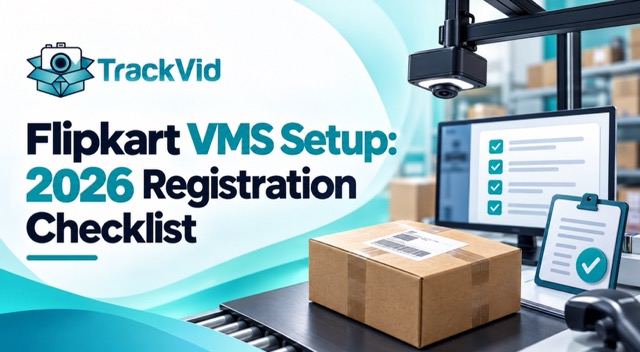
For Flipkart sellers registering for VMS enrollment for the first time. Updated September 2026.
Direct Answer
Flipkart VMS setup requires six things in sequence: a camera meeting Flipkart's technical floor, correct mounting position over the packing station, network-connected storage with 30 to 90 days retention, order-linked retrieval capability, a trial recording submitted through the Flipkart Seller Portal for review, and approval before VMS-registered status activates. Most first-time applications fail on the trial recording or on retrieval capability, not on the camera itself.
What Does Flipkart Actually Check in a VMS Application?
Flipkart does not approve a flipkart vms setup based on the camera brand or specifications alone. The approval depends on whether the complete setup can produce specific, order-linked, retrievable evidence that meets the SPF evidence standard. A premium camera with no retrieval system fails the application. A basic camera with correct mounting and proper indexing passes. The review focuses on your trial recording, which Flipkart evaluates against the same criteria they would apply to an actual SPF claim submission.
What Is Flipkart VMS and Why Register?
VMS stands for Video Monitoring System, Flipkart's seller program for packing-stage video evidence. Registered VMS sellers get materially higher SPF claim approval rates because their evidence meets Flipkart's standard automatically rather than being evaluated case by case.
The practical difference for a seller shipping over 100 orders a day: an unregistered seller filing SPF claims gets each claim scrutinized against the general evidence standard. A VMS-registered seller filing the same claims gets a faster review path and higher baseline trust, because the setup has already been approved as capable of producing valid evidence.
For sellers losing significant monthly revenue to buyer-fraud returns, VMS registration is often the single most valuable one-time improvement available. The setup itself is a few days of work; the ongoing SPF recovery lift continues for every order shipped afterward.
What Is the Complete Flipkart VMS Setup Checklist?
The flipkart vms setup checklist has six items in sequence. Skipping any one causes a rejection at trial-recording review.
Item 1: Camera meeting Flipkart technical requirements. Minimum 1080p resolution, 15 to 30 FPS, wide-angle lens that covers the packing area and AWB label simultaneously. Specific technical thresholds change periodically. Verify current requirements from the Flipkart Seller Portal before purchasing hardware. See the companion guide Flipkart VMS Camera: What to Buy for the full camera breakdown.
Item 2: Correct mounting position. Top-down or 45-degree angle over the packing station, with the packer's hands and the AWB printing area both in frame. The AWB label must stay in focus and in frame from when it comes out of the printer to when it goes onto the sealed parcel.
Item 3: Network-connected storage with 30 to 90 days retention. SD-card recording fails this check because SD cards get removed, corrupt, or fail. Network-attached storage (NAS) or cloud storage over PoE or stable Wi-Fi is the baseline.
Item 4: Order-linked retrieval. Flipkart's trial-recording review specifically tests whether you can retrieve the video for a specific order ID within a reasonable time. Continuous footage with timestamp-only indexing fails this check. Order-ID-indexed retrieval passes it.
Item 5: Trial recording submission through the Flipkart Seller Portal. The portal has a VMS enrollment section (navigation changes periodically, so check the current path from your Seller Dashboard). You upload sample recordings showing representative packing events with their matching order IDs.
Item 6: Approval wait before VMS-registered status activates. Review timelines vary. Approved sellers get a VMS badge on their seller profile and the faster SPF review path on all subsequent claims.
What Does Flipkart Check in the Trial Recording?
The trial recording is where most applications succeed or fail. Flipkart runs the same checks against your sample as they would against an actual SPF claim video.
Order ID or AWB visible and legible in frame. This is non-negotiable. A trial recording where the AWB printing area is off-camera or out of focus fails immediately.
Continuous capture through the sealing step. Any cuts, pauses, or discontinuities fail. The video must run uninterrupted from when the product enters the parcel through to when the AWB label goes on the sealed parcel.
Correct product shown in correct condition. The item being packed should be visible before it enters the parcel, in a way that makes substitution-at-dispatch impossible.
Retrieval demonstration. Some reviewers test retrieval by requesting a specific recent order's video. If you cannot produce it within the expected timeframe, the application fails on retrieval capability regardless of recording quality.
Lighting adequate for AWB legibility. AWB labels on glossy stock reflect overhead fluorescents and become unreadable. Supplementary LED lighting over the packing station is often required even when the camera itself is adequate.
Why Do Most Flipkart VMS Applications Get Rejected?
Four patterns account for most flipkart vms setup rejections.
Rejection 1: Retrieval capability missing. The camera is good, the recordings are continuous, but the setup has no order-ID-indexed retrieval. The reviewer requests a specific order video and the seller cannot produce it within the expected timeframe. This is the single most common first-application rejection.
Rejection 2: AWB label not in frame on the trial recording. The packer positioned the parcel in a way that put the AWB area outside the camera view, or the overhead angle meant the printed text was unreadable. Fix: adjust mounting, re-record, resubmit.
Rejection 3: Trial recording has editing or cuts. Even accidental ones. The sealer paused the recording to adjust something and restarted it, creating a visible discontinuity that Flipkart's automated review flags.
Rejection 4: Storage is local-only. SD-card setups, laptop-webcam-to-local-drive setups, or any configuration where the recording is not on network-accessible storage fails because Flipkart's reviewers cannot verify retention or retrieval capability.
The pattern across all four rejections: the camera itself is almost never the problem. The problem is in the setup around the camera, which is why budgeting 30 percent for camera and 70 percent for everything else is also the advice for passing VMS registration on first attempt.
How Long Does Flipkart VMS Registration Take?
End-to-end timelines vary significantly based on current Flipkart review capacity and the quality of the first submission.
Fast path (first submission approved): typically 3 to 7 business days from submission to VMS-approved status.
Standard path (one re-submission after initial feedback): 10 to 15 business days with the re-submission accounting for the gap.
Slow path (multiple rejections or escalation): 3 to 4 weeks if setup issues require hardware changes between submissions.
The variable most under your control is first-submission quality. Sellers who complete all six checklist items before submitting typically land on the fast path. Sellers who submit a partial setup hoping to iterate based on feedback typically end up on the slow path.
Specific timelines change periodically. Verify current VMS review timelines from your Flipkart Seller Dashboard or Seller Support if timing is critical for a specific decision.
What Changes After You Become a VMS-Approved Seller?
Three operational changes.
Faster SPF review path on all subsequent claims. VMS-approved sellers get a different review queue. Decision timelines on standard SPF claims typically shorten.
Higher baseline trust on evidence. A VMS-approved seller's packing video gets a presumption of validity that an unapproved seller's does not. This shifts the burden of proof slightly in favour of the seller on disputed claims.
VMS badge on seller profile. Some Flipkart dashboard views show VMS-approved status, which can also factor into certain internal seller rating calculations.
The improvement is cumulative. A seller who was recovering 30 to 40 percent of eligible SPF-recoverable losses before VMS typically moves into the 55 to 70 percent range after VMS approval and consistent filing. The lift continues on every order shipped forward.
Where TrackVid Fits
TrackVid is used by 1,100+ Indian sellers and is officially authorised by Snapdeal, with the same automation operating across Flipkart SPF, Myntra PPMP, AJIO, Meesho and Amazon SAFE-T.
What applies specifically to flipkart vms setup and registration:
- Order-linked video indexing, where every recording is automatically tagged with Order ID, AWB and SKU at the moment the shipping label is scanned. Addresses Rejection 1, retrieval capability, which is the single most common VMS application rejection
- Camera-agnostic, works with any standard IP camera meeting the 1080p and 15 to 30 FPS floor. No hardware lock-in
- Continuous recording with automatic trigger from label scan, which eliminates the manual pause-and-resume that causes Rejection 3
- Network storage integration for the 30 to 90 day retention Flipkart requires, addressing Rejection 4
- Automated SPF claim filing on approved VMS seller accounts via robotic process automation on your Flipkart Seller Dashboard access, so the registration investment compounds immediately on claim filing
Pricing is a flat fee per claim processed on prepaid recharge, quoted against your monthly claim volume. No commission on recovery, and none from marketplaces.
Related Reading
- Flipkart VMS Camera: What to Buy for Sellers 2026, the hardware companion to this setup checklist
- Flipkart Seller Wrong Return Claim Process 2026, the SPF claim type VMS registration helps the most
- Marketplace Packing Video Requirements 2026, cross-platform video standards including Flipkart VMS
- Flipkart SPF Claim Automation, automating the claims your VMS setup enables
Frequently Asked Questions
How do I register for Flipkart VMS?
Complete the six-item setup checklist (camera, mounting, network storage, order-linked retrieval, trial recording, approval wait), then submit through the VMS enrollment section of your Flipkart Seller Portal. Verify current portal navigation from your Seller Dashboard.
What is required for Flipkart VMS setup?
A camera meeting Flipkart's technical requirements (minimum 1080p, 15 to 30 FPS, wide-angle lens), correct mounting over the packing station, network-connected storage with 30 to 90 day retention, order-ID-indexed retrieval, and a passing trial recording submission.
How long does Flipkart VMS registration take?
3 to 7 business days on the fast path for first-submission approval. 10 to 15 business days with one re-submission. 3 to 4 weeks if hardware changes are needed between submissions. Timelines vary with current review capacity.
Why did my Flipkart VMS application get rejected?
Four common reasons: retrieval capability missing (most common), AWB label not in frame on trial recording, recording has editing or cuts, or storage is local-only without network access. Fix the specific issue flagged and re-submit.
Can I use any camera for Flipkart VMS?
Any standard IP camera meeting the 1080p resolution and 15 to 30 FPS floor, with wide-angle lens and continuous recording capability. Flipkart does not mandate specific camera brands, only technical capability.
What are the benefits of being a VMS-approved Flipkart seller?
Faster SPF claim review path, higher baseline trust on evidence, and a VMS badge on the seller profile. VMS-approved sellers typically see SPF recovery rates move from 30 to 40 percent up to the 55 to 70 percent range.
Do I need VMS for every packing station?
Yes, for complete coverage. Each packing station running simultaneously needs its own camera and recording setup so each order can be traced to the specific station that packed it. Partial coverage leaves gaps.
Does Flipkart charge for VMS registration?
Verify current Flipkart VMS pricing policies from your Seller Dashboard. The hardware and software costs are seller-side regardless, since VMS requires the physical camera, storage and retrieval setup on your warehouse premises.
Sources: Flipkart publicly stated VMS technical requirements as of September 2026, TrackVid platform data across 1,100+ Indian sellers, VMS enrollment process analysis.
Flipkart VMS technical requirements, portal navigation, approval timelines and benefits change periodically. Verify current terms from your Flipkart Seller Dashboard before making registration decisions.






Get the Marketplace Claim Recovery Checklist
A 12-point checklist used by 1,100+ sellers to recover 85-90% of marketplace claim losses. Free, instant access.
- Marketplace-specific evidence formats (AJIO, Flipkart, Amazon, Myntra)
- Claim window deadlines for every major platform
- The 6-step process that pushes approval from 85-90%
- Common rejection reasons and how to avoid them
No spam. Unsubscribe anytime. Used by sellers at Rare Rabbit, HRX, Da Milano + 1,100 more.
Stop Losing Money to Fake Returns
Join 1,100+ sellers who recover lakhs every month with TrackVid