
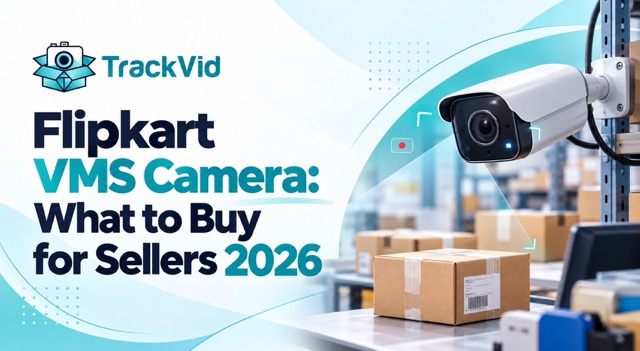
For Flipkart sellers setting up VMS for the first time or upgrading an existing setup. Updated September 2026.
Direct Answer
For Flipkart VMS, you need a camera that captures at least 1080p resolution at 15 to 30 frames per second, with a lens angle wide enough to show the packing area and the AWB label simultaneously, mounted for a top-down or 45-degree view of the sealing station, with network storage sized for 30 to 90 days of continuous footage per packing station. Any IP camera meeting these specs works. Brand matters less than the setup around it.
Why Camera Choice Matters Less Than Sellers Think
Three out of four flipkart vms camera claim rejections are not caused by the camera. They are caused by the AWB label not being in frame, the sealing step being missed, or the retrieval system being too slow to find the right video inside the 14-day window. A premium camera cannot fix any of these. A basic camera with a correct setup wins more claims than an expensive camera with a careless setup. Spend the budget on the setup, not on the camera.
Which Camera Types Work for Flipkart VMS?
Four flipkart vms camera categories cover almost every setup Indian sellers end up with. Each has a specific fit.
| Camera Type | Fits When | Watch Out For |
|---|---|---|
| IP camera (PoE or Wi-Fi) | Dedicated packing station, 50+ orders a day | Needs network storage, not SD card |
| CCTV camera (analog or hybrid) | Existing warehouse CCTV already installed | Resolution often too low for AWB legibility |
| USB webcam connected to PC | Very small setup, under 20 orders a day | Local storage fails at any scale |
| Purpose-built VMS camera | Full operation with multiple stations | Higher upfront, lowest ongoing hassle |
What does not work: a smartphone propped up on a shelf, a laptop webcam pointed at the packing table, or an SD-card-recording CCTV with no network connection. All three fail at scale either on reliability, on retrieval speed, or on both.
What Resolution Does Flipkart VMS Need?
For a flipkart vms camera, 1080p (1920 by 1080) at 15 to 30 FPS is the practical floor. Below this, AWB label text starts getting unreadable, which collapses the entire evidence value of the recording. Above this (4K cameras, 60 FPS) you are mostly paying for bigger storage bills, not for higher claim approval rates.
Lens angle matters as much as resolution. A 90 to 110 degree wide lens captures the packing area and the sealing station together, which is what you need. Narrower lenses force you to choose between showing the product and showing the label.
Low-light performance matters in Indian warehouses. Natural light is unreliable, overhead fluorescents create glare on glossy AWB labels, and most sellers end up supplementing with LED strip lighting over the packing station regardless of camera choice. A camera rated for low-light use is worth the small premium if your warehouse lighting is anything short of excellent.
Frame rate is where sellers over-spec. 15 FPS is enough to capture the sealing step continuously without jerky playback. 30 FPS is the maximum any Flipkart VMS claim will benefit from. 60 FPS doubles your storage cost for no claim-approval benefit.
What Specs Matter Less Than Sellers Think?
Four things seller camera guides overweight.
Megapixel count beyond 2MP. A 1080p camera is 2MP. A 4K camera is 8MP. Beyond 2MP, the AWB label is already readable, and additional pixels mostly consume storage without changing what Flipkart's claim reviewer can see.
Night vision or infrared. Your packing station is lit during work hours. Night vision modes are for security monitoring of empty warehouses, not for packing documentation. Pay for low-light sensor performance in regular colour mode, not for IR.
Audio capture. Flipkart VMS evaluates video, not audio. Microphones add nothing to claim approval and can create privacy complications. Skip them.
Pan-tilt-zoom capability. A fixed camera correctly positioned beats a motorized camera that might be pointing somewhere else when a disputed order ships. Fixed mount, no mechanical failure points.
What Setup Does a Flipkart VMS Camera Actually Need?
The flipkart vms camera is one piece of a complete setup. Four more things matter equally.
Mounting position and angle. Top-down or 45-degree angle over the packing station, with the packer's hands and the AWB label both visible in frame. The AWB area needs to stay in focus when the label comes out of the printer and goes onto the parcel. Side-angle mounts almost always fail this test.
Network connectivity. The camera needs to upload to storage continuously, not buffer to SD card and sync later. SD cards fail, corrupt and get removed. Network-attached storage (NAS) or cloud storage, over PoE or stable Wi-Fi, is non-negotiable.
Storage sizing for 30 to 90 days. Flipkart SPF windows run to 120 days for product-missing claims, so storage needs to hold at least this long. A single 1080p camera at 15 FPS consumes roughly 20 to 40 GB per day of continuous recording. Size the storage accordingly, with headroom for multi-camera setups.
Order-linked retrieval. This is where most seller camera setups break down. Having 60 days of continuous footage is useless if finding a specific order's video takes 20 minutes of scrubbing a timeline. The retrieval system has to be indexed by order ID or AWB, not by timestamp.
What Are the Hidden Costs Beyond the Camera?
Flipkart vms camera price is typically the smallest line item in the full setup. The real cost structure, for budgeting:
Network storage (NAS or cloud). Scales with camera count and retention length. Often 2 to 5 times the camera cost per station over three years.
Installation and cabling. PoE cable runs, mounting brackets, power provisioning. One-time but non-trivial. Local installer rates vary significantly by city.
Supplementary lighting. LED strip over the packing station. Small cost, large impact on readability.
Monthly connectivity. Broadband that can handle continuous upload from multiple cameras without choking on peak-hour traffic.
Software and retrieval system. The piece that turns raw continuous recording into order-linked, retrievable evidence. Without this, the camera investment does not produce usable claim evidence at scale.
The budget sellers should plan: 30 percent camera, 70 percent everything else. Guides that focus on the camera alone are selling you only the smallest piece of what you actually need.
Where TrackVid Fits
TrackVid is used by 1,100+ Indian sellers and is officially authorised by Snapdeal, operating across Flipkart SPF, Myntra PPMP, AJIO, Meesho and Amazon SAFE-T.
What applies specifically to flipkart vms camera setup:
- Camera-agnostic, works with standard IP cameras from any vendor meeting the 1080p and 15 to 30 FPS floor described above. No lock-in to a specific hardware brand
- Order-linked indexing, so recorded video is automatically tagged with Order ID, AWB and SKU at the moment the shipping label is scanned. Addresses the retrieval problem that most camera-only setups struggle with
- Automated SPF claim filing via robotic process automation on your Flipkart Seller Dashboard access, reducing claim filing time from 15 to 20 minutes to under a minute
- Return reconciliation surfaces eligible claims from settlement reports that would otherwise expire unfiled
Pricing is a flat fee per claim processed on prepaid recharge, quoted against your monthly claim volume. Hardware is purchased separately through your preferred vendor; TrackVid is the software layer that makes the hardware produce usable evidence.
Related Reading
- Flipkart VMS Setup: 2026 Registration Checklist, the approval process once the camera is in place
- Marketplace Packing Video Requirements 2026, the exact video spec every Indian marketplace accepts, which drives camera selection
- Flipkart Seller Wrong Return Claim Process 2026, how the recorded footage becomes a successful claim
- Flipkart SPF Claim Automation, the full SPF filing process
Frequently Asked Questions
Which camera is best for Flipkart VMS?
Any standard IP camera meeting the practical floor of 1080p resolution at 15 to 30 FPS, with a 90 to 110 degree wide lens, PoE connectivity and low-light capability. Brand matters less than the setup around it: mounting position, network storage and order-linked retrieval.
What resolution does Flipkart VMS need?
1080p (1920 by 1080) is the practical floor. Below this, AWB label text can become unreadable, which weakens the entire evidence value. 4K cameras consume more storage without changing claim approval rates.
Can I use a webcam for Flipkart VMS?
Not for any serious volume. USB webcams connected to a PC fail at scale on reliability and storage. For under 20 orders a day as a trial setup, possible. Beyond that, a dedicated IP camera is required.
What is the price of a Flipkart VMS camera?
Standard IP cameras meeting the spec sit in a wide range depending on vendor and features. The camera itself is typically the smallest cost in the full setup. Budget 30 percent for the camera, 70 percent for storage, cabling, installation and software.
Do I need multiple cameras for Flipkart VMS?
For a single packing station, one correctly positioned camera is enough. For multiple packing stations running simultaneously, one camera per station is required so each order can be traced to its own recording.
Can I use existing CCTV for Flipkart VMS?
Sometimes, if the existing CCTV meets the resolution floor and can be positioned over the packing station specifically. Most warehouse CCTV is set up for general security monitoring with wide-area coverage, which does not produce AWB-legible footage at the packing station.
Does Flipkart recommend a specific VMS camera brand?
Flipkart publishes technical requirements for VMS but does not mandate specific camera brands. Any camera meeting the resolution, frame rate and continuous recording requirements qualifies.
What is more important for Flipkart VMS, camera quality or software?
The software and retrieval system matters as much as the camera. A premium camera with no order-linked retrieval produces footage that cannot be found inside the 14-day SPF window. A basic camera with proper indexing produces usable evidence at scale.
Sources: Flipkart VMS publicly stated technical requirements as of September 2026, TrackVid platform data across 1,100+ Indian sellers, hardware market analysis.
Flipkart VMS technical requirements and SPF windows change periodically. Verify current camera and setup requirements from your Flipkart Seller Dashboard before making a hardware purchase.



Get the Marketplace Claim Recovery Checklist
A 12-point checklist used by 1,100+ sellers to recover 85-90% of marketplace claim losses. Free, instant access.
- Marketplace-specific evidence formats (AJIO, Flipkart, Amazon, Myntra)
- Claim window deadlines for every major platform
- The 6-step process that pushes approval from 85-90%
- Common rejection reasons and how to avoid them
No spam. Unsubscribe anytime. Used by sellers at Rare Rabbit, HRX, Da Milano + 1,100 more.
Stop Losing Money to Fake Returns
Join 1,100+ sellers who recover lakhs every month with TrackVid