
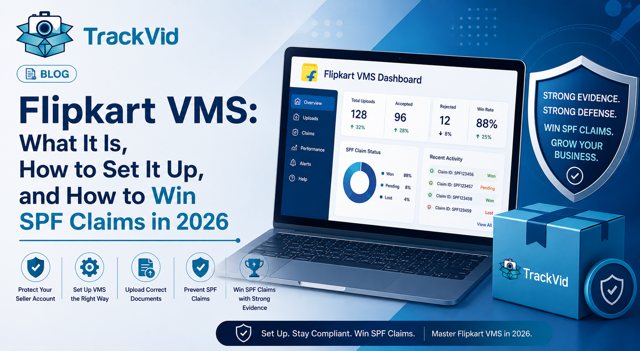
For sellers on Flipkart, Amazon, AJIO, Myntra and Meesho. Updated May 2026.
Flipkart's Video Management System is now mandatory for sellers who want to remain eligible for the Seller Protection Fund. Most sellers who receive this news treat it as a compliance checkbox. The sellers who understand what it actually means treat it as a revenue protection tool.
Flipkart VMS records every packing event automatically. Each video is linked to the order's shipment details. When a buyer claims the wrong item arrived, an empty box was delivered, or a product was missing, that video is the evidence that decides whether you recover the loss or write it off.
The Flipkart video management system automates the recording of packing processes for sellers on the platform. It captures video footage of each packed order, which is then shared with Flipkart, providing sellers with proof of correct packing, helping to resolve disputes related to misshipments or missing items.
That proof is what the entire SPF claim process rests on. Without it, a dispute becomes your account against a buyer's account, and platforms side with buyers by default. With it, the dispute has an independently verifiable answer.
This guide covers exactly what Flipkart VMS is, what it requires, how to set it up correctly, how the SPF claim process works, and what the multi-platform gap is that every Flipkart seller selling on other platforms needs to address.
What Is Flipkart VMS?
Flipkart VMS is a packing video recording system integrated into Flipkart's seller operations. It works by placing a camera above the packing station. When a packer scans the shipping label to begin an order, the system starts recording automatically. The video captures the product, the packing sequence, and the sealed, labelled parcel, all in one continuous recording linked to that specific order.
The recording is shared directly with Flipkart. When a dispute is raised, Flipkart's review team can access the footage for that order to evaluate what was actually packed and shipped.
Adoption of Flipkart VMS is mandatory for sellers wishing to remain eligible for Flipkart's Seller Protection Fund. The SPF compensates sellers in the event of certain losses, making compliance essential for safeguarding business interests.
This is not a suggestion. It is a compliance requirement tied directly to financial protection. A seller on Flipkart without an active VMS setup is operating without SPF coverage, which means every fraudulent return, every wrong item claim, and every empty box dispute is an unrecoverable loss.
Why Flipkart Requires VMS for SPF Eligibility
The Seller Protection Fund was created to give Flipkart sellers a financial backstop against fraudulent buyer behaviour. Buyers who claim wrong items, missing products, or damaged deliveries when nothing was wrong impose direct financial losses on sellers who packed and shipped correctly.
Flipkart emphasises complete transparency and traceability through its SPF, which compensates sellers for genuine losses caused by logistics or buyer-side issues. To remain eligible for SPF, sellers must adopt a Flipkart video management system that records every step of the packaging and dispatch process. Video proof must capture product verification, barcode scanning, packaging, and labelling before shipment.
Without this footage, Flipkart has no way to verify which party's account is accurate. The SPF claim cannot be approved on the basis of a written account alone. The video is not supplementary documentation, it is the primary evidence requirement.
Return fraud costs global ecommerce merchants over $100 billion annually, according to NRF research. For marketplace sellers, the recoverable share of that loss depends entirely on the quality of evidence they can submit when disputes arise. VMS is what creates that evidence.
How Flipkart VMS Works: Step by Step
Setting up Flipkart VMS requires four components and a specific workflow. Here is exactly how the process operates.
What you need before starting
A Windows-based machine since the Flipkart VMS application runs on Windows. An IP camera or USB webcam positioned above the packing station with a clear view of the product and label. A stable internet connection for automatic footage sharing. Login credentials from Flipkart, obtained by contacting Flipkart seller support or your account manager.
The setup process
Contact Flipkart support and request VMS access credentials. Install the camera at the packing station, approximately 2 to 3 feet above the desk, angled to capture both the product and the shipping label clearly. Log in to Flipkart's VMS portal with your credentials and configure your packing station feed. Create user accounts for each packer on your team.
The daily workflow
When a packer scans a shipping label on the VMS portal, recording begins automatically. The packing sequence is recorded continuously until the parcel is sealed. The footage is automatically linked to the order details and shared with Flipkart's system. No manual upload is required.
The daily check Flipkart recommends: Verify every morning that your internet connection, camera, and VMS application are functioning correctly before beginning dispatch operations. A missed recording on a disputed order means no evidence when the SPF claim is filed.
A Seller Who Learned What "No VMS" Actually Costs
Aryan runs a multi-category operation with about 300 daily orders on Flipkart and Amazon. For a long time he ran a CCTV system at his packing station and assumed it was adequate coverage.
When a buyer filed three SPF claims in one month, wrong item received, empty box, product not as described, he pulled the CCTV clips and submitted them with each claim. All three were rejected. Flipkart's review noted that the footage could not be independently linked to the specific disputed orders. The clips showed activity at the packing station but not order-specific evidence.
Total unrecovered loss across the three claims: Rs 47,000.
He set up Flipkart VMS the following week. Within 60 days, two more SPF claims arrived. Both were filed with order-linked footage. Both were approved.
"The CCTV showed the same warehouse. Flipkart VMS showed the same order. That difference is the whole thing," Aryan said.
What Flipkart VMS Covers and Where It Stops
Flipkart VMS is purpose-built for Flipkart orders. It does its job well within that scope. But the limitation every multi-channel seller needs to understand is structural: Flipkart VMS stores Flipkart footage, formatted for Flipkart's portal, accessible to Flipkart's review team.
It does not cover your Amazon SAFE-T claims. It does not respond to AJIO's "CCTV required" emails. It does not produce evidence for Myntra's PPMP compliance. It does not protect Meesho orders from WFR claims.
Flipkart, Amazon, Myntra, and other marketplaces require video proof for seller protection claims. Without a proper video management system, you risk losing SPF eligibility and automatic claim rejections.
The implication for sellers on multiple platforms: Flipkart VMS protects your Flipkart operation. Every other platform requires separate evidence.
How TrackVid Fills the Gap Flipkart VMS Leaves
TrackVid is a video proof and claim management platform that operates independently of any marketplace's own system. It records every packing event automatically when any shipping label is scanned, whether it is a Flipkart label, an Amazon label, an AJIO label, or a Myntra label.
Every video is linked to the Order ID, SKU, and AWB in real time. Every video is stored in searchable cloud indexed by Order ID. Any order's packing footage is retrievable in under two minutes from any date.
For AJIO specifically, the strictest of all platforms, TrackVid detects the "CCTV required" email automatically and responds with the correct order-linked video without any manual effort from your team. No missed deadlines. No auto-rejections.
The approach most multi-platform sellers use is a combination: Flipkart VMS for Flipkart-specific SPF portal compliance, and TrackVid for evidence coverage across Amazon, AJIO, Myntra, Meesho, and all other channels from a single system. Both run from the same warehouse cameras with no duplication of hardware.
Sellers across Flipkart, Amazon, AJIO, Myntra, and Meesho using TrackVid report claim win rates above 90 percent on disputes where packing video is submitted as primary evidence.
Related: Learn how TrackVid's multi-platform VMS works →
How to Win an SPF Claim on Flipkart
Understanding what makes a Flipkart SPF claim succeed tells you exactly how to build your VMS process.
What Flipkart evaluates in an SPF claim
The packing video for the specific disputed order. Whether the correct product is visible and identifiable in the recording. Whether the order's barcode, label, and product are all in frame. Whether the recording is continuous and unedited.
What causes SPF claim rejection
If packaging does not meet required standards or tamper-proof sealing is missing, the seller's claim may weaken.
A video where the product is not clearly visible. A recording where the label is out of frame, making order-level linking unverifiable. Raw CCTV footage submitted instead of order-linked VMS footage. Missing footage for the disputed order because the recording system had a gap that day.
The critical operational requirement: every order must be recorded without exceptions. A single missed recording on a disputed order means no SPF coverage for that claim regardless of how well every other order was documented.
The SPF claim is decided before the buyer files it. Either the packing video exists when the dispute arrives, or it does not. There is no way to create the evidence after the fact.
Five Questions to Know If Your Flipkart VMS Setup Is Actually Working
- When a Flipkart SPF claim arrives for an order packed two weeks ago, can your team retrieve the packing video for that specific order in under five minutes? If not, your system cannot meet claim timelines at scale.
- Is your camera positioned to show both the product and the shipping label clearly in the same frame? A recording where the label is not visible cannot be independently linked to the disputed order.
- Is recording triggered automatically by label scan, or do packers manually start recordings? Manual triggers create gaps that are invisible until a dispute arrives.
- What is your current SPF claim approval rate as a specific number? If you cannot name it, your VMS is running but its commercial impact is not measured.
- For orders on Amazon, AJIO, and Myntra that ship from the same warehouse, are those covered by any video proof system? If not, every dispute on those platforms is unprotected.
Book a free TrackVid Demo Today
In one session, you will see how TrackVid complements Flipkart VMS to give you complete coverage across all platforms and exactly where your current evidence gaps are costing you claim losses every month.
Frequently Asked Questions
What is Flipkart VMS?
Flipkart VMS stands for Flipkart Video Management System. It is a packing video recording system that Flipkart has made mandatory for sellers who want to remain eligible for the Seller Protection Fund. The system places a camera above the packing station and records every order packing automatically when the shipping label is scanned. The footage is linked to the order details and shared with Flipkart, where it serves as primary evidence in return dispute and SPF claim resolution. Without active VMS compliance, Flipkart sellers cannot file or win SPF claims.
Is Flipkart VMS mandatory for all sellers?
Yes. Adoption of Flipkart VMS is mandatory for sellers wishing to remain eligible for Flipkart's Seller Protection Fund. Sellers without an active, compliant VMS setup lose SPF coverage on all disputed orders. This applies regardless of order volume, category, or seller tier. The requirement was introduced to ensure that return dispute resolution has an independently verifiable evidence base.
How to set up Flipkart video management system?
You need a Windows machine, a stable internet connection, and an IP or USB camera positioned 2 to 3 feet above the packing desk. Contact Flipkart seller support or your account manager to request VMS login credentials. Log in to the Flipkart VMS portal, configure your packing station feed, and create packer accounts. Once set up, the system records automatically when shipping labels are scanned. Getting started with VMS is straightforward. Contact Flipkart Support to obtain login credentials, install your camera, log in to the VMS portal, create user accounts for your packers, set up unique feeds for each camera, and start recording.
How to win a Flipkart SPF claim with video proof?
File the SPF claim through Seller Hub within the permitted window. The packing video for the disputed order must clearly show the correct product, the barcode, and the shipping label in a continuous, unedited recording. Flipkart's review team accesses the VMS footage directly through their portal. If the footage independently verifies that the correct product was packed, the SPF claim has a strong basis for approval. The most common rejection reason is footage that does not clearly show the order-specific details in frame.
Flipkart VMS vs TrackVid, which should sellers use?
They serve complementary purposes. Flipkart VMS is the SPF compliance requirement, Flipkart sellers must have it to maintain fund eligibility. TrackVid is an independent multi-platform VMS that covers Amazon, AJIO, Myntra, Meesho, Snapdeal, and other channels from the same system. Most multi-channel sellers use Flipkart VMS for Flipkart-specific portal access and TrackVid for evidence coverage across all other platforms. Both run from the same warehouse cameras. TrackVid additionally provides AJIO claim automation, where it detects and responds to AJIO's "CCTV required" emails automatically.
Flipkart VMS kaise setup kare?
Sabse pehle Flipkart seller support se contact karo aur VMS ke liye login credentials request karo. Phir ek IP ya USB camera apne packing station ke upar 2-3 feet ki height par lagao jahan product aur shipping label dono clearly dikhe. Windows machine par Flipkart ka VMS portal login karo, packing station feed configure karo, aur packers ke liye accounts banao. Iske baad jab bhi packer shipping label scan karega, recording automatically shuru ho jayegi. Everyday camera aur internet connection check karo operations shuru karne se pehle.
TrackVid is a video proof and claim management platform used by 1,100+ ecommerce sellers on Flipkart, Amazon, AJIO, Myntra, Meesho and Snapdeal. Officially authorised by Snapdeal. Learn more at trackvid.in.



Get the Marketplace Claim Recovery Checklist
A 12-point checklist used by 1,100+ sellers to recover 85-90% of marketplace claim losses. Free, instant access.
- Marketplace-specific evidence formats (AJIO, Flipkart, Amazon, Myntra)
- Claim window deadlines for every major platform
- The 6-step process that pushes approval from 85-90%
- Common rejection reasons and how to avoid them
No spam. Unsubscribe anytime. Used by sellers at Rare Rabbit, HRX, Da Milano + 1,100 more.
Stop Losing Money to Fake Returns
Join 1,100+ sellers who recover lakhs every month with TrackVid