
For sellers on Amazon, Flipkart, AJIO, Myntra, Meesho, Shopify and global marketplaces. Updated June 2026.
The label is the smallest step in packing and the one with the largest downside when it goes wrong. Put the wrong label on an order and the entire parcel goes to the wrong buyer, which means a lost sale, a return, an angry customer, and often a claim you cannot win. Automatic label printing and application removes that error at the source, and it is one of the highest-return changes a growing seller can make. This guide explains why manual labelling is so costly, what automatic label printing for ecommerce actually does, and why a standalone label printer does not solve the real problem.
Why a Labelling Error Is the Worst Packing Error
Not all packing errors are equal. A weak seal might survive transit. The wrong item is a problem, but the buyer at least receives something addressed to them. The wrong label is the worst of all, because it sends the correct product to the wrong person entirely.
When that happens, you lose twice. The buyer who ordered gets nothing and files a claim. The person who received the parcel got something they did not order. You are now handling two broken orders, two returns, reverse shipping on both, and a dispute you will probably lose because you cannot prove the correct order was ever dispatched to the right place.
At low volume, a labelling error is rare enough to absorb. At high volume, with shifts, fatigue, and temporary staff matching pre-printed labels to orders by hand, it becomes a recurring cost that most sellers never trace back to the label step. It hides inside the returns and claims figures, which is exactly why it goes unfixed.
What Goes Wrong With Manual Labelling
Manual labelling fails in specific, predictable ways.
Labels get mismatched. A packer grabs the wrong pre-printed label from a stack, or applies label B to order A during a busy shift. The order looks complete and sealed, but it is heading to the wrong destination.
Labels are misapplied. Peeling, misalignment, or a label placed over a barcode causes scan failures and delays at the carrier, which push out your dispatch time.
Data is entered by hand. When packers type order details or manually match labels to orders, they are doing slow, error-prone work that reintroduces mistakes the rest of your process is trying to avoid.
And it is slow. Every manual label is a series of small actions repeated across hundreds of orders, and that time adds up into a meaningful share of your packing labour.
What Automatic Label Printing and Application Actually Does
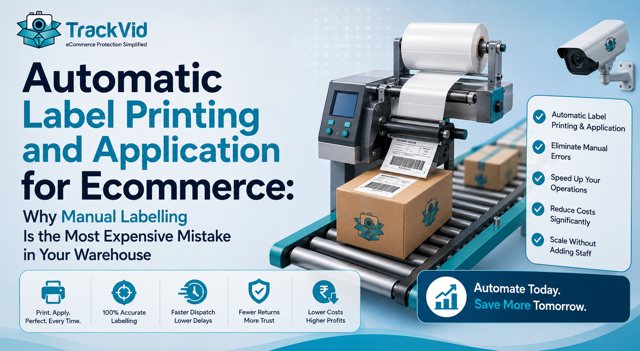
Automatic label printing and application removes the human from the label step entirely.
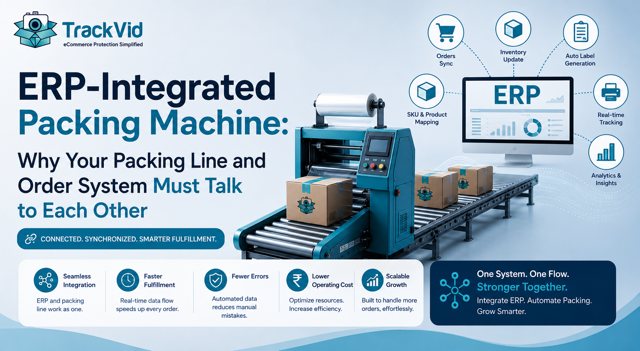
When the order is scanned, the system pulls that order's details from your ERP or order management system, prints the correct shipping label for that specific Order ID, and applies it to the parcel in the correct position, automatically. There is no stack of pre-printed labels to match, no typing, no peeling and aligning by hand.
The critical word is correct. Because the label is generated from the scanned order and pulled from your system in real time, the right label goes on the right order every time. The mismatch error, the single most consequential packing mistake, is designed out of the process rather than reduced. Application is consistent, so misaligned and scan-failing labels disappear too.
This is the difference between reducing labelling errors and removing the category. Manual process improvements can reduce the error rate. Automatic print and apply, driven by the scanned order, removes the mismatch mechanism itself.
Related: What ecommerce packing automation is and how the full line works
Why a Standalone Label Printer Is Not the Answer
Many sellers, when they feel the labelling pain, buy a faster label printer. It helps a little and misses the real problem.
A standalone printer prints labels faster, but it does not solve the two things that actually cost you. It does not necessarily pull from your order system, so someone still matches labels to orders. And it does not apply the label, so a human still peels and places it, which is where mismatch and misalignment happen. You have made the printing faster while leaving the error mechanism fully intact.
The problem was never print speed. It was the manual matching and applying. So the fix is not a faster printer, it is print and apply driven by the scanned order, where the correct label is generated and placed automatically with no human matching in between. A faster standalone printer treats the symptom. Integrated print and apply removes the cause.
A Kolkata Seller's Labelling Problem
Meera runs a fashion and accessories label out of Kolkata, shipping around 360 orders per day across her own store, Flipkart, and AJIO.
Her recurring problem was misdeliveries. Every week, a handful of orders reached the wrong buyer, and each one was expensive: the customer who ordered filed a claim, the parcel had to be recovered or written off, and the dispute was usually lost because she could not prove the right order had gone to the right address. She assumed it was carrier error until she traced it and found the mistakes were happening at her own packing station, at the label step, during the busy afternoon shift.
She had already bought a faster label printer, which had not helped, because the errors were not about print speed. They were about packers matching and applying the wrong label under pressure.
"I thought a faster printer would fix it. It did not, because the mistake was never the printing. It was a person matching a label to an order and getting it wrong when the floor was busy. Until the right label went on the right order automatically, that error was always going to be there."
Meera's mistake, buying a faster printer to fix a matching-and-applying problem, is one of the most common in this category. Print speed is the visible part. The matching and applying is where the cost actually lives.
How the TrackVid Machine Handles Labelling
On TrackVid's automatic packing machine, label printing and application are part of the line, not a separate manual step. The order is scanned, the correct label for that Order ID is pulled from your ERP and printed, and it is applied to the courier bag automatically in the correct position. No stack of pre-printed labels, no manual matching, no peeling and aligning by hand.
Because the label is generated from the scanned order, the mismatch error is removed rather than reduced, which eliminates the most consequential packing mistake and the misdeliveries and lost claims that follow it. Application is consistent, so scan-failing and misaligned labels go away too, which protects your dispatch time.
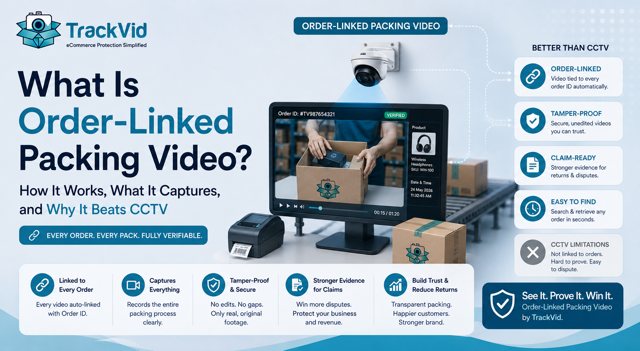
And on the integrated version, the same scan that drives the label also triggers the dispatch camera, so the correct label, the item, and the seal are all captured on order-linked video. That means the label event is not just done correctly, it is documented, which wins the disputes where a buyer claims the wrong thing arrived. TrackVid's platform is already used by 1,100+ Indian ecommerce sellers, who report claim win rates of 90 percent or above on disputes where packing video is submitted, according to TrackVid data.
The machine is pre-launch in India, with early access open to a limited first production batch.
Related: Join the early access waitlist for the TrackVid packing machine
What to Do About Your Labelling
If misdeliveries or scan failures are a recurring cost, trace where they actually happen before spending on anything. If they are occurring at your packing station during busy periods, the problem is manual matching and applying, and a faster printer will not fix it.
Below roughly 150 orders a day, tighter process at the label step, clear separation of labels, and removing manual data entry may be enough. Above 300 a day, where the error becomes recurring and expensive, integrated print and apply driven by the scanned order is the durable fix, because it removes the mismatch mechanism rather than just speeding up one part of it.
Related: How automated order packing cuts dispatch time
Join the early access waitlist for the TrackVid automatic packing machine
Takes 30 seconds. No spam. We only contact you about early access and demos.
Related: Your full ecommerce fulfillment cost per order, line by line
Frequently Asked Questions
How do I automate shipping label printing for ecommerce? The reliable way is print and apply driven by the scanned order. When the order is scanned, the system pulls its details from your ERP or order management system, prints the correct label for that Order ID, and applies it automatically. This removes both the manual matching that causes wrong-label errors and the manual application that causes misalignment. A standalone printer only speeds up printing and leaves the matching and applying, and therefore the errors, in place.
What causes wrong label shipments? Almost always manual matching. A packer selects the wrong pre-printed label from a stack, or applies one order's label to another during a busy shift. The parcel looks complete and sealed but is addressed to the wrong buyer. Fatigue, shift changes, and temporary staff raise the rate. The fix is to generate and apply the label automatically from the scanned order, so a human is never matching a label to an order by hand.
Shipping label printing automatic kaise kare ecommerce mein? Sabse reliable tareeka hai print and apply jo scanned order se chalta hai. Jab order scan hota hai, system uski details ERP ya order management system se pull karta hai, us Order ID ka sahi label print karta hai, aur automatically apply kar deta hai. Isse wrong-label errors bhi hat jaate hain aur misalignment bhi. Sirf ek fast printer lene se problem solve nahi hoti, kyunki matching aur applying manually hi rehti hai, aur wahi errors ki asli wajah hai.
Is a label applicator or print-and-apply machine worth it? It depends on your volume and error rate. Below roughly 150 orders a day, tighter manual process may be enough. Above 300 a day, where wrong-label errors and misdeliveries become recurring and expensive, print and apply is usually worth it, because a wrong label sends the whole order to the wrong buyer, which is the costliest packing error. If you are losing money to misdeliveries and lost claims, the applicator addresses the exact cause.
Why does a faster label printer not fix my labelling errors? Because print speed is not the problem. Wrong-label errors come from a human matching the wrong label to an order and applying it, not from slow printing. A faster printer prints the same errors faster. To remove the errors, the correct label has to be generated from the scanned order and applied automatically, so no manual matching happens. That is print and apply, not just a quicker printer.
Does automatic labelling connect to my order system? It should, and that connection is the point. Automatic label printing pulls the order details from your ERP or order management system so the correct label for the scanned order prints and applies without anyone typing or matching. A label solution that does not integrate with your order system still relies on manual matching, which reintroduces the wrong-label error. Confirm the integration before buying, because without it you have automated the wrong part.
What is the best way to stop misdeliveries in ecommerce? Remove the manual label matching that causes them. Misdeliveries usually trace to the wrong label being applied at the packing station, not to the carrier. Integrated print and apply, where the correct label is generated from the scanned order and placed automatically, removes that error mechanism. On an integrated packing machine, the dispatch is also filmed and linked to the Order ID, so even the rare dispute is winnable with proof of what was labelled and shipped.
Sources: IBEF India ecommerce fashion return rate data; TrackVid seller data on claim win rates; general warehouse labelling and print-and-apply operational benchmarks; marketplace scan and dispatch requirements from seller portals.
TrackVid is a video proof and claim management platform used by 1,100+ Indian ecommerce sellers on Amazon, Flipkart, AJIO, Myntra and Meesho. Officially authorised by Snapdeal. Learn more at trackvid.in.



Get the Marketplace Claim Recovery Checklist
A 12-point checklist used by 1,100+ sellers to recover 85-90% of marketplace claim losses. Free, instant access.
- Marketplace-specific evidence formats (AJIO, Flipkart, Amazon, Myntra)
- Claim window deadlines for every major platform
- The 6-step process that pushes approval from 85-90%
- Common rejection reasons and how to avoid them
No spam. Unsubscribe anytime. Used by sellers at Rare Rabbit, HRX, Da Milano + 1,100 more.
Stop Losing Money to Fake Returns
Join 1,100+ sellers who recover lakhs every month with TrackVid